2026 Desk Charging Setup Guide: Keep Your Phone, Watch, and Audio Gear Ready
Charging setups got smarter in 2026. Phones, watches, earbuds, and speakers all compete for outlets, and messy cables can turn a clean desk into a knot. The good news: a simple, well-chosen setup saves time, protects your devices, and looks good while it does it.
This guide walks through the essentials for a tidy, reliable charging station—especially if you’re charging a smartwatch and phone at the same time. It also highlights accessories that make everyday use smoother, from stands to straps.
Fast answer: the quickest way to fix charging chaos
- Use a dedicated stand for your watch to keep charging contacts aligned.
- Choose a braided USB-C cable for durability and long-term use.
- Keep a single charging zone for phone + watch + earbuds.
- Store extra cables in a drawer to avoid clutter on the surface.
Why 2026 setups focus on magnetic and stand-based charging
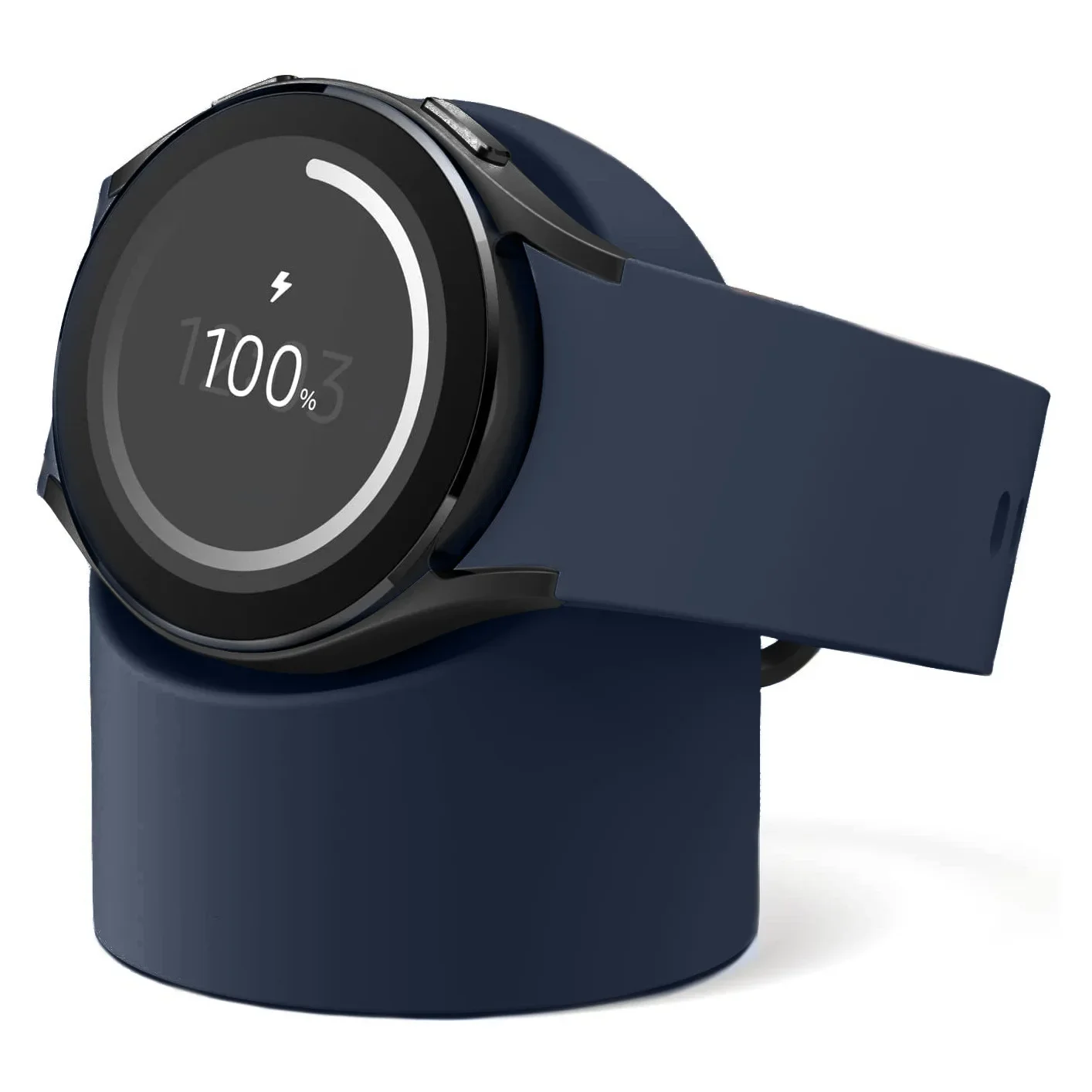
Magnetic charging has become the easiest way to align devices quickly. For watches and magnetic phone accessories, a stand keeps the device in place without hunting for the right angle. It also reduces wear on connectors.
If you’re using a Galaxy Watch or similar device, a stand like the Samsung Galaxy Watch Charger Stand is a practical anchor point for your setup. It keeps the watch upright, protects the charging cable, and makes the desk look intentional.
Step 1: Build a “charging triangle” on your desk
Think of your daily devices in three groups: phone, watch, and audio. That gives you a simple triangle:
- Phone zone: cable or magnetic charger on the right or left edge.
- Watch zone: a stand in the center or back corner.
- Audio zone: earbuds or small speaker charging spot.
Keep the phone and watch zones close so you can drop devices in place without looking. This also shortens cable runs and makes the setup cleaner.
Step 2: Choose the right cable (this matters more than people think)
Durability is the real differentiator. In 2026, the standard is a braided USB‑C cable with strong strain relief. It lasts longer and handles daily bending without fraying. If you move your setup often (work + travel), a braided cable is essential.
For a neat cable run, keep the length under 2 meters and use a small cable clip or channel behind the desk.
Step 3: Protect your watch while you charge
Watch accessories make charging easier and protect your device when it’s off your wrist. Two easy upgrades:
- Transparent Watch Case with Strap for daily protection
- Soft Silicone Strap for comfort during long work days
And if you like changing your look without changing your watch, the Luxury Metal Watch Case gives a sharper, more formal finish.
Step 4: Pair audio gear with your charging zone
If you keep headphones or a small speaker on your desk, a single charging zone makes them easy to grab and put back. Check the latest items under Headphones and Speakers to round out your setup.
Common mistakes to avoid
- Overcrowding the desk: keep only daily-use devices on the surface.
- Using low-quality cables: they break faster and cause charging issues.
- Letting chargers dangle: this strains connectors and looks messy.
- Mixing too many styles: a consistent color palette looks cleaner.
Visual Guide


FAQ
Do I need a stand if I already have a charging puck?
A stand keeps the puck aligned, protects the cable, and makes the watch easy to dock. It also looks cleaner on a desk.
What cable length is best for a desk setup?
1–2 meters is ideal. Longer cables create clutter and are easier to snag.
How can I make the setup travel-friendly?
Use one braided USB‑C cable, a compact watch stand, and a small pouch to keep everything together.
Should I charge my watch every night?
If you use sleep tracking, charge it during your desk hours instead. A stand makes this easy.
What’s the easiest way to tidy cables?
A small cable clip under the desk is enough. Avoid complicated cable boxes unless you have many devices.
Shop the setup
Browse Watches & Accessories for watch stands and straps, or explore Computer Accessories for desk-friendly add‑ons. If you’re upgrading your daily devices, the Outdoor Bluetooth Smartwatch is a strong all‑in‑one option.
Soft CTA: Start with a reliable watch stand and a durable cable. Once those two pieces are in place, the rest of your charging setup falls into place quickly.